Transitioning from TaxPro Max: What Happens to My Account?
If you have an existing account on TaxPro Max, do not attempt to create a new one.
Automatic Onboarding: Your data is already moved. You must wait for an email from NRS containing your new login credentials and a fresh Registration Certificate. These will be sent directly to your registered TaxPro Max email address.
First-Login Rule: You will be need to change your temporary password immediately upon your first successful sign-in at selfservice.nrs.gov.ng.
New Corporate Registration (CAC Process)
For companies not previously on TaxPro Max, the registration is now a 13-step digital process:
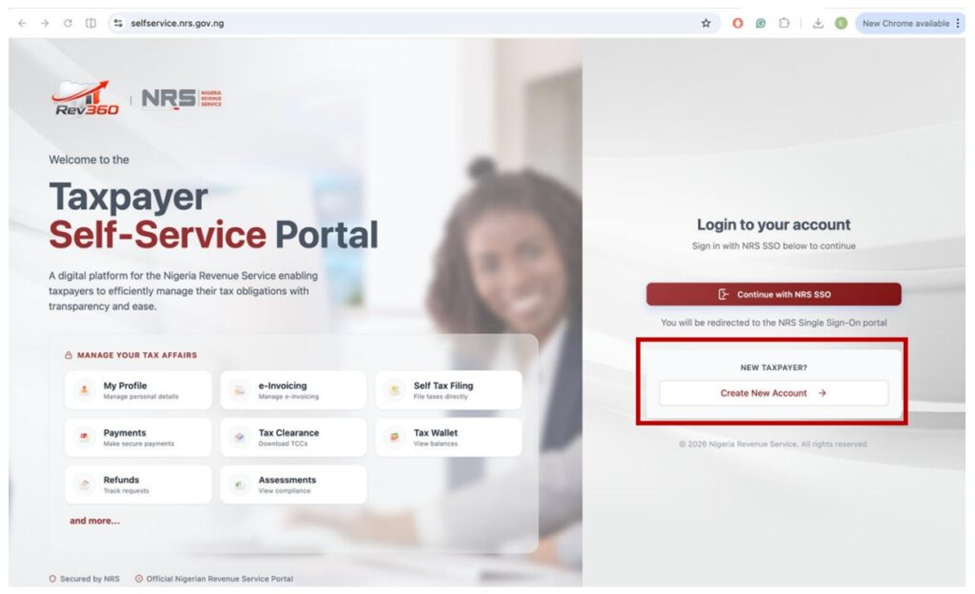
1.Access: Visit selfservice.nrs.gov.ng and click “Create New Account.”
2. CAC Verification: Select Corporate as the category, select the category that applies to the business you want to register, and enter your RC Number. The system pings the CAC database to pull your company details.
3. OTP Security: Click Proceed to OTP Verification. An OTP is sent to the email/phone registered with CAC. You must enter this to prove ownership.
4. Business Details: Enter your business contact details, commencement date, accounting year-end, and business sector. You can also add branch information if applicable.
5. Tax Office Selection: Select your preferred Tax Office. It is recommended to choose the office closest to your business location. Also, note that the Add Tax Representative is Optional, but if you choose yes, you will need to enter your Tax Representative’s Tax ID.
6. Resume ID: If you are interrupted, the system generates a Resume ID. You can use this to continue your application later without starting over.
7. MNE & CFC Declarations: You must indicate if you are a constituent of a Multinational Enterprise (MNE) or have a Controlled Foreign Company (CFC). If you choose Yes for Multinational Enterprise (MNE), select Add Entity for every entity and fill in the required details (Entity Name, TaxID, Country of Residence, Percentage Holding). Also, if you choose Yes for Controlled Foreign Company (CFC), click on Add Company for every CFC and fill in the required details (Entity Name, TaxID, Country of Residence, Percentage Holding).
8. Document Uploads: You must provide a clear PDF scan of a Director’s ID (National ID, Passport, or Driver’s License) and a Utility Bill.